> For the complete documentation index, see [llms.txt](https://docs.desci.com/llms.txt). Markdown versions of documentation pages are available by appending `.md` to page URLs; this page is available as [Markdown](https://docs.desci.com/create-and-publish/share/content-identifier-cid.md).
# Content Identifier (CID)
{% hint style="warning" %}
These pages relate to our Beta version and the features are under redevelopment.
{% endhint %}
## Share and Re-Use via CID
Nodes are optimized for re-usability and interoperability. Each component published with DeSci Nodes has its unique [content identifier (CID)](/technical-background/persistent-identifiers-101.md#solving-content-drift). This identifier is, as the name says, based on the component's content -- and therefore unique to this component (and its exact duplicates). You can use CIDs to access your components through other applications connected to the IPFS network, like compute over data with [Bacalhau](https://www.bacalhau.org/).
Grab any component's CID via [General user overview](/general-user-overview.md#node-drive). Navigate to the component of interest and hit . Click on **Copy Link** to save the CID to your clipboard.
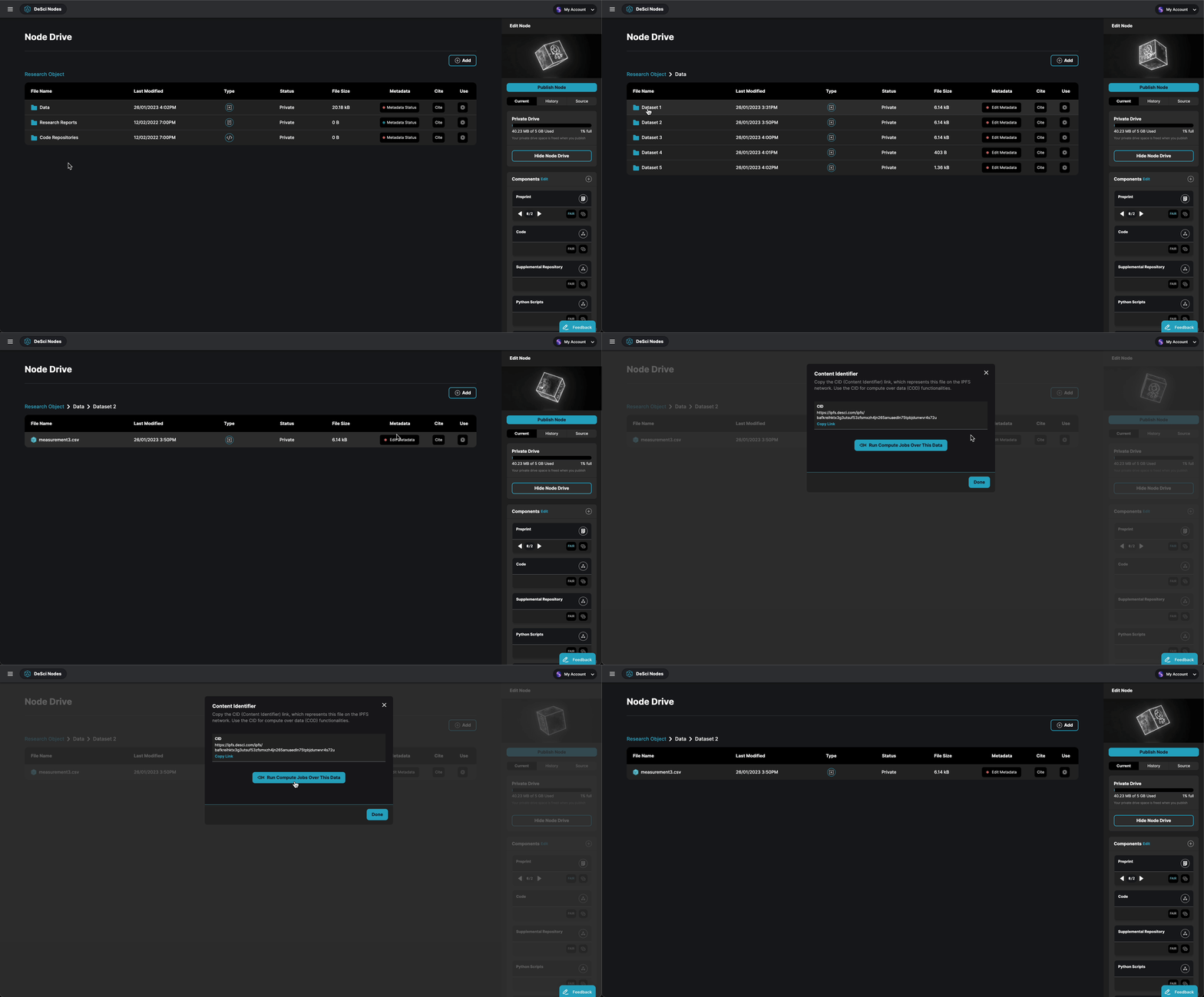
 . Click on **Copy Link** to save the CID to your clipboard.